Can Renters Install a Nest Thermostat? Lease Rules, Landlord Permission, and Legal Considerations
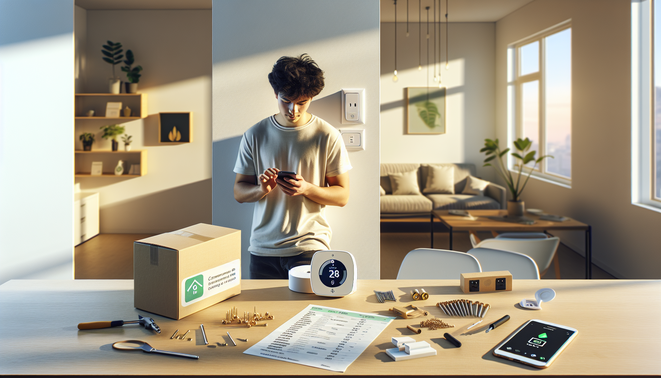
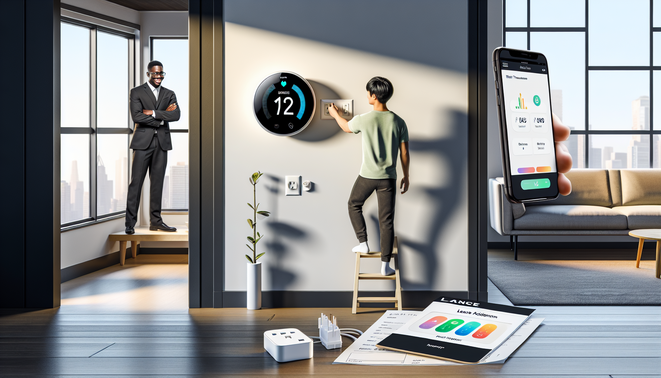
Before buying or installing a Nest, read your lease for clauses on “alterations,” wiring, or thermostats — many leases bar electrical changes without permission (CNET). If the thermostat is hardwired or part of the building’s HVAC, ask the landlord in writing, offer to pay for a licensed install, and promise to restore the original unit at move‑out (Evans Law). Landlords can usually require the unit be returned to original condition and may deduct repair costs from deposits for unauthorized alterations; state rules vary (California Tenant Law, Bornstein Law). Get explicit written approval and a removal/restore clause to protect your deposit (CNET).
Which Nest Model Is Right for Your Rental? Compatibility with HVAC Types and Wiring
Use Google’s compatibility checker before buying (Google Support). Quick guide: the budget Nest Thermostat is fine for simple furnace/AC setups but may require a C‑wire or the Nest Power Connector (Google Store — Nest Thermostat, Google Support). The Nest Learning Thermostat (4th gen) has the broadest compatibility (multi‑stage heat/cool, heat pumps, humidifiers) and is designed to work without a C‑wire in many homes (Google Support — Tech Specs, Google Store — Learning Thermostat). The Nest Thermostat E targets simpler systems and has a more limited feature set (Google Store — Thermostat E).
Installation Options for Renters: DIY, Professional Installs, and C‑Wire Alternatives
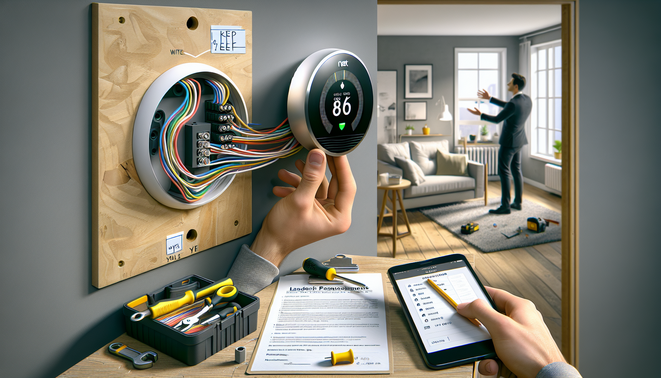
DIY basics: cut power at the breaker, photograph and label existing wires, remove the old thermostat, mount the Nest base, match wire colors, restore power and complete setup in the app — stop and call a pro if wiring looks unusual (Angi, Google Nest Help). Hire a technician for zoned HVAC, heat pumps, multi‑stage systems, unclear wiring, or if the warranty requires professional installation (This Old House). Non‑invasive C‑wire solutions let you avoid running new wall wiring: Nest Power Connector installs at the furnace, ecobee’s Power Extender Kit creates a C at the control board, and third‑party adapters exist — verify HVAC compatibility first (Google Nest Help — Power Connector, ecobee Support). For renter‑friendly installs, get landlord approval, use removable mounts when allowed, and save the original thermostat and wiring (How‑To Geek).
Using Nest in a Rental: Energy Savings, Remote Control, Shared Access, and Privacy
Nest can lower HVAC costs while giving remote comfort control — studies and Google’s reporting show average savings around 10–12% for heating and ~15% for cooling; view schedules and energy history in the app (Google Nest Help). Share access by inviting roommates or landlords as Home members (don’t share passwords); set appropriate member roles and revoke access when needed (Google Nest Help, Google Nest Help). Privacy: Nest collects environmental and device‑activity data to operate features — review and adjust privacy settings and read Google’s retention/controls info (Google Safety Center, Google Nest Help — Privacy) and see reporting on what smart thermostats collect (CNET). Back up schedules and account notes with screenshots so you can remove the device cleanly later (Google Nest Community).
Moving Out Checklist: Removing the Nest, Restoring the Original Thermostat, and Portable Alternatives
Before moving, power off HVAC at the breaker, remove the Nest display and photograph wiring, label wires (R/W/G/Y/C) and save the original wallplate (Google Nest Help, The Home Depot). Remove the Nest from your account and factory‑reset it so the next tenant can add it fresh (Google Nest Help, Google Nest Help). To reinstall the original thermostat, match labeled wires to terminals, secure the base, restore power, and test HVAC cycles — if unsure, hire a tech and keep the receipt for your landlord (The Home Depot). Document the process with dated photos, a note confirming Nest removal/reset, and receipts for any professional work; if you can’t leave a Nest, consider portable alternatives such as Sensibo for window/portable ACs or certified smart plugs for space heaters (match load ratings) (Sensibo).
Sources
- Angi – Do I need an electrician to replace a thermostat?
- Bornstein Law – 2026 New security deposit rules for housing providers
- California Tenant Law – Security Deposits
- CNET – Renters can buy smart thermostats too, but they may want to hurry
- CNET – Smart thermostats and your privacy: here’s what data they’re collecting
- ecobee Support – Installing your ecobee thermostat with the Power Extender Kit (no C‑wire)
- Google Nest Community – Moving and leaving my nest thermostat
- Google Safety Center – Nest safety & privacy
- Google Store — Nest Thermostat – Nest Thermostat product page
- Google Store — Learning Thermostat – Nest Learning Thermostat specs
- Google Store — Thermostat E – Nest Thermostat E specs
- Google Support – Nest Learning Thermostat tech specs
- Google Support – Nest compatibility checker
- Google Nest Help – Energy savings with Nest
- Google Nest Help – Privacy settings & controls
- Google Nest Help – Share access / invite members
- Google Nest Help – Add or remove people (access roles)
- Google Nest Help – Remove a device from your account
- Google Nest Help – Factory reset and transfer device
- Google Nest Help – Wiring, photos, and safety when installing
- Google Nest Help – Nest Power Connector (no C‑wire)
- How‑To Geek – Renter‑friendly smart home upgrades
- Evans Law – The legal implications of smart home technology in rental properties
- The Home Depot – How to install a thermostat
- Sensibo – Sensibo Sky product
- This Old House – Calling in an HVAC pro